
Instagram

14 September 2026 Site Author

platform hub

Instagram

  • Instagram has more than 288 million active monthly users in the EU. Every day these users have content removed or their account suspended, or see harmful content that is left up.
  • We have been accepting disputes from Instagram since November 2025.
  • In our recent Transparency Report, we overturned Instagram’s decisions 66% of the time, where we reviewed the content.
  • The top 3 policy areas we received disputes about were:
    • Hate Speech and Hateful Policies
    • Adult Nudity and Sexual Activity
    • Violence and Crime

What policies do we cover?

Some of the policies we cover include:

  • Fraud and Scams
  • Hate Speech and Hateful Policies
  • Restricted Goods and Services
  • Adult Nudity and Sexual Activity
  • Violence and Crime
  • Harassment and Bullying
  • Misinformation

You can view all of the policies we cover in our Rules of Procedure, and you can view all of Instagram’s content policies in their community guidelines.

Remember! We can’t accept disputes in some areas, including:

  • Impersonation
  • Hacked accounts
  • Copyright
  • Spam decisions related to technical or automated systems
  • Child Sexually Explicit Material

What do I need to know before I submit an Instagram dispute?

You can dispute Instagram’s decision if the platform has:

  1. Suspended or restricted an account that I want restored
  2. Removed or restricted content that I want restored
  3. Left up content that I want removed

Instagram suspended or restricted an account that I want restored

Before you submit your dispute, it would be helpful to gather the following information:

  • Your Instagram reference number. If you do not have one, you can continue the process without it.
  • The type of content that led to your account being suspended or restricted
  • The policy that Instagram said your account violated. When you log into your account, you should see the message “We suspended your account.” If you scroll down, the text under the “Why this happened” heading should mention the Community Standard your account supposedly violated. Please provide this Community Standard. If you can’t find this message, the platform may have sent you an email that includes the Community Standard which led to your account being suspended.

Instagram removed or restricted content that I want restored

Before you submit your dispute, it would be helpful to gather the following:

  • Your Instagram reference number. If you do not have one, you will need to provide your Instagram username, the date that the content was removed or restricted and a brief description of the content.
  • The date that Instagram removed or restricted the content.
  • The policy that Instagram said your content was violating. When Instagram removes your content, they should send you a message which includes the Community Standard your content supposedly violated. To find this:
    App: Click the “profile” icon in the bottom-right of the screen. Then click the three horizontal lines in the top-right of the screen to open settings. Scroll down and click on “Account Status.” Click on “Removed content and messaging issues”, then “Removed content” to find the Community Standard your content supposedly violated.
    Desktop: Click the three horizontal lines with “More” next to them in the bottom-left of your screen, then click “Settings.” Scroll down and click on “Account Status.” Click on “Removed content and messaging issues,” then “Removed content” to find the Community Standard your content supposedly violated.

Instagram left up content that I want removed

Before you submit your dispute, it would be helpful to gather the following information:

  • The link to your profile
  • Confirmation that you have reported the content to Instagram
  • The link to the content you reported
  • The date you reported the content to Instagram / the date that Instagram told you that they would not be removing the content you report
  • The policy you believe the content was violating.
WE’RE HERE TO HELP

FAQs

Frequently asked questions about submitting an Instagram dispute

View all FAQs
How do I submit a dispute?

Click ‘Start Dispute’ in the header of this page to dispute a content moderation decision by Facebook, Instagram, TikTok, Pinterest, Threads or YouTube.

What kind of content does the Appeals Centre cover?

We currently accept disputes about individual pieces of content which have been removed or left up by Facebook, Instagram, TikTok, Pinterest, Threads, Google Maps and YouTube. This includes videos, photos, text posts and comments. We also review decisions by these platforms to suspend or disable a user’s account, as well as removals of a Page or Group (Facebook and Instagram), or Channel (YouTube).

What platforms does the Appeals Centre cover?

We currently accept disputes about content on Facebook, Instagram, TikTok, Pinterest, Threads, YouTube and Google Maps. We intend to expand to other social media platforms over time.

Featured Case Study: Racist Abuse on Instagram Following Champions League Match

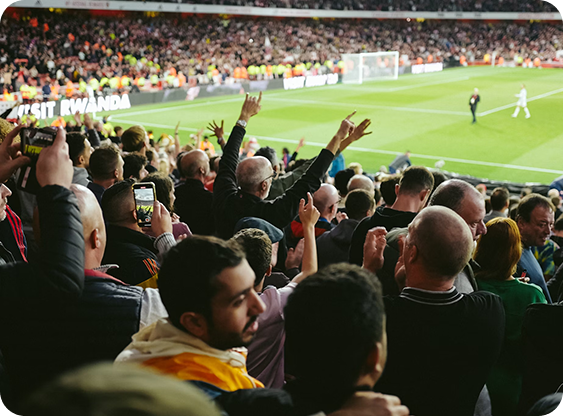
In March 2026, non-profit organisation Vigilia Tech submitted hundreds of disputes about racist content visible in the EU posted on Instagram during or after the Liverpool-Galatasaray Champions League match. Many of these were about comments comparing Black football players to monkeys. Dehumanising comparisons of this kind are forbidden under Meta’s hateful conduct policy. In all cases where we have reviewed the content so far, we overturned Meta’s decision and recommended that they remove the content. However, several of these racist posts remain on Instagram.
USE YOUR EU DIGITAL RIGHTS

Think Social Media Got It Wrong?

We help you fight platform mistakes and reclaim your voice.

Comments are closed.

You have the right to independent content review under EU law.  Learn More